
01 / The organization
Supporting a global workplace wellbeing platform
This US-based workplace wellbeing technology provider helps employees move, breathe, and recharge with guided microbreaks of approximately two minutes. Its platform reaches organizations in 72 countries and can be accessed through workplace tools including Microsoft Teams, Slack, and Chrome.
A small team supports a broad customer base. Chime V5 brings a direct human support channel to the customer portal while notifying agents in Microsoft Teams.
02 / The story
Making customer support accessible from the portal
The provider needed a simple, centralized way to handle customer inquiries, particularly questions about accounts and subscriptions. Customers needed to reach support from the portal without navigating away or relying solely on email.
The team wanted a quick deployment, notifications for available agents, and live chat limited to business hours. Email notifications for missed chats would help the team follow up on inquiries.
03 / The story
Adding a centralized channel alongside email
The provider wanted to add a convenient portal-based chat channel alongside email and give its small support team a centralized way to handle requests.
The supplied account does not identify a previous support platform or provide a measured before-and-after baseline.
04 / The story
Portal Web Chat with Microsoft Teams notifications
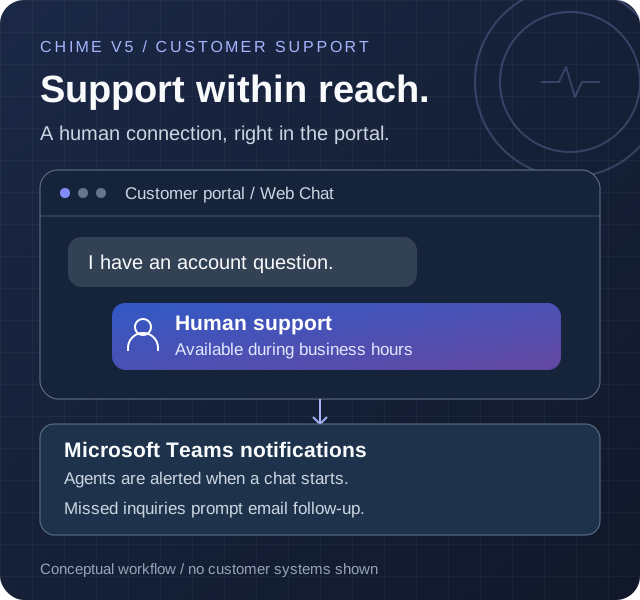
The team embedded Chime V5 Web Chat directly in its customer portal using a plug-and-play script. The supplied account says setup took minutes; customers can start a support conversation without installing another application.
When a customer starts a chat, Chime notifies the support team through Microsoft Teams. Agents can access incoming conversations and respond to account and subscription questions in real time.
Live chat is configured for designated business hours. Email notifications bring missed inquiries to the team's attention for follow-up outside those hours.
Open portal Web Chat
A customer starts a support conversation from the customer portal during business hours.
Notify the support team
Chime notifies agents through Microsoft Teams when a chat starts.
Get human support
An agent responds to the customer's account or subscription inquiry.
Follow up on missed chats
Email notifications bring missed inquiries to the team's attention.
05 / The story
Reported chat activity and guest feedback
The supplied operational summary reports approximately 20 inbound chats per day. At that rate, 600 chats over 30 days is a projection, not a verified calendar-month total.
The summary reports that 95% of inbound chats connected to an agent. The underlying counts and reporting period were not supplied; a connection is not necessarily a resolution.
Average speed to answer is reported as under 30 seconds; the measurement basis was not supplied, and the average is not a guarantee for every chat. The summary also reports that 88.35% of submitted guest ratings were five-star. The response count and full rating distribution were not supplied.
Reported customer support results
Chat activity, answer time, and guest feedback
Reporting period not supplied
About these results and how they were calculated
The supplied summary reports approximately 20 inbound chats per day, 95% of inbound chats connected to an agent, average speed to answer under 30 seconds, and an 88.35% five-star share of submitted guest ratings. No dated dashboard export, underlying chat counts, rating response count, full rating distribution, or answer-time measurement basis was supplied.
Approximately 600 chats is a 30-day projection calculated as 20 daily inbound chats multiplied by 30, not a measured calendar-month count. Connections do not establish resolutions. Average speed to answer is not resolution time and does not mean every chat was answered within 30 seconds.
06 / The story
How portal inquiries reach the support team
Customers enter through Web Chat embedded in the portal. Chime V5 notifies the support team in Microsoft Teams and provides a centralized conversation for agents and customers.
Live chat follows designated business hours, with email notifications for missed inquiries. This is a conceptual view of the supplied workflow, not a network or security diagram.
Customer portal
Embedded Web Chat gives customers a support entry point
Chime V5 Web Chat
Centralized chat and business-hours availability
Microsoft Teams
Support team receives chat notifications
Human support team
Agents respond to customer inquiries
Email notifications
Missed inquiries are brought to the team's attention for follow-up
Chime V5 technologies and features
- Custom Web Chat Client
Bring Chime V5 support conversations into a website.
- Route to Agents
Connect customer inquiries with human support.
Microsoft technologies in this solution
- Microsoft Teams (opens in a new tab)
Notifies the support team when customers start chats.